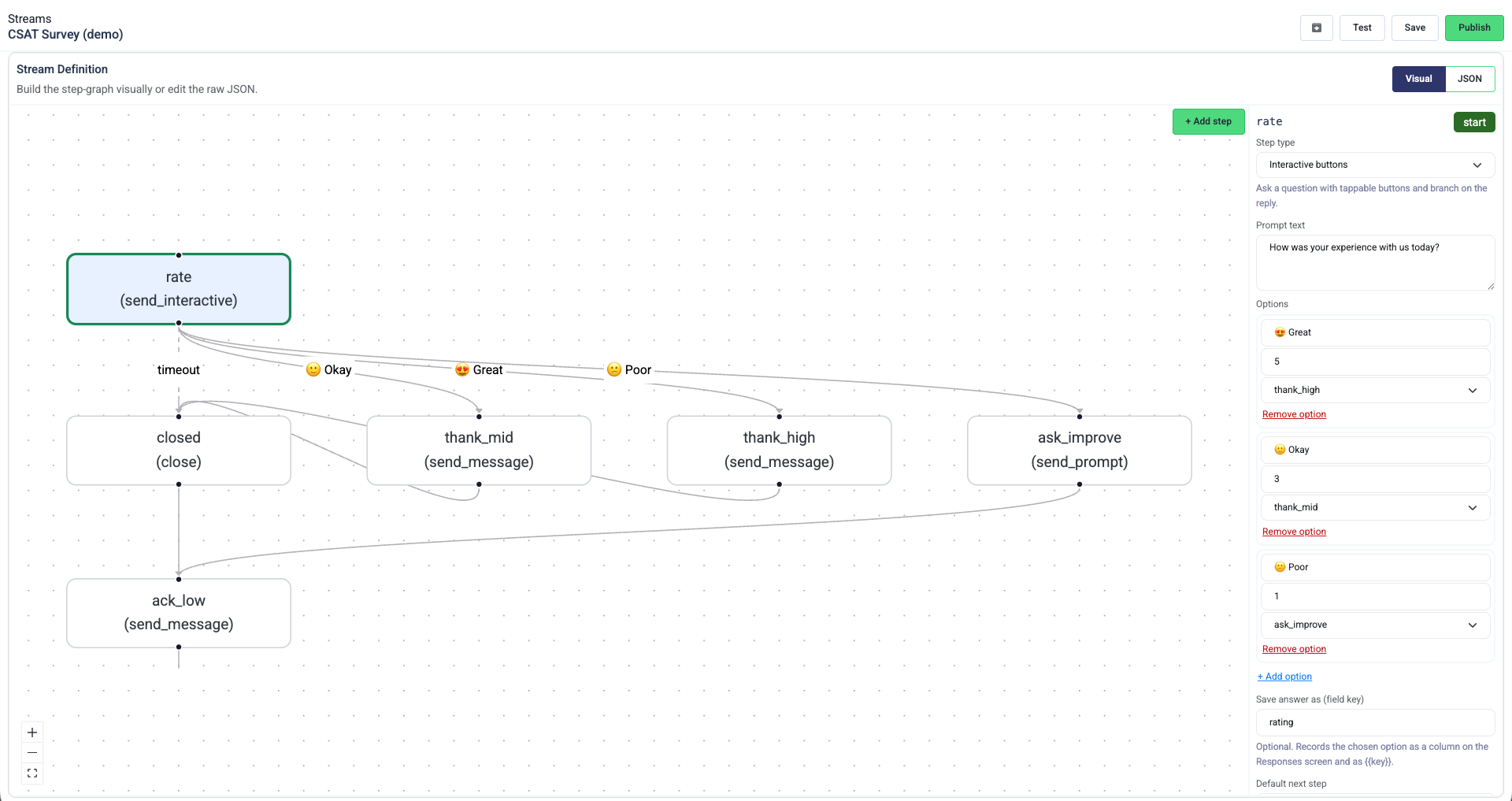
Drag-and-Drop Visual Builder for WhatsApp Streams
We are introducing WhatsApp Streams as a direct replacement for our legacy Automations feature. Streams allow you to build sophisticated, multi-step customer journeys on WhatsApp using a completely visual drag-and-drop workflow canvas.
Interactive Customer Journeys: Build multi-step workflows like interactive CSAT surveys and lead captures.
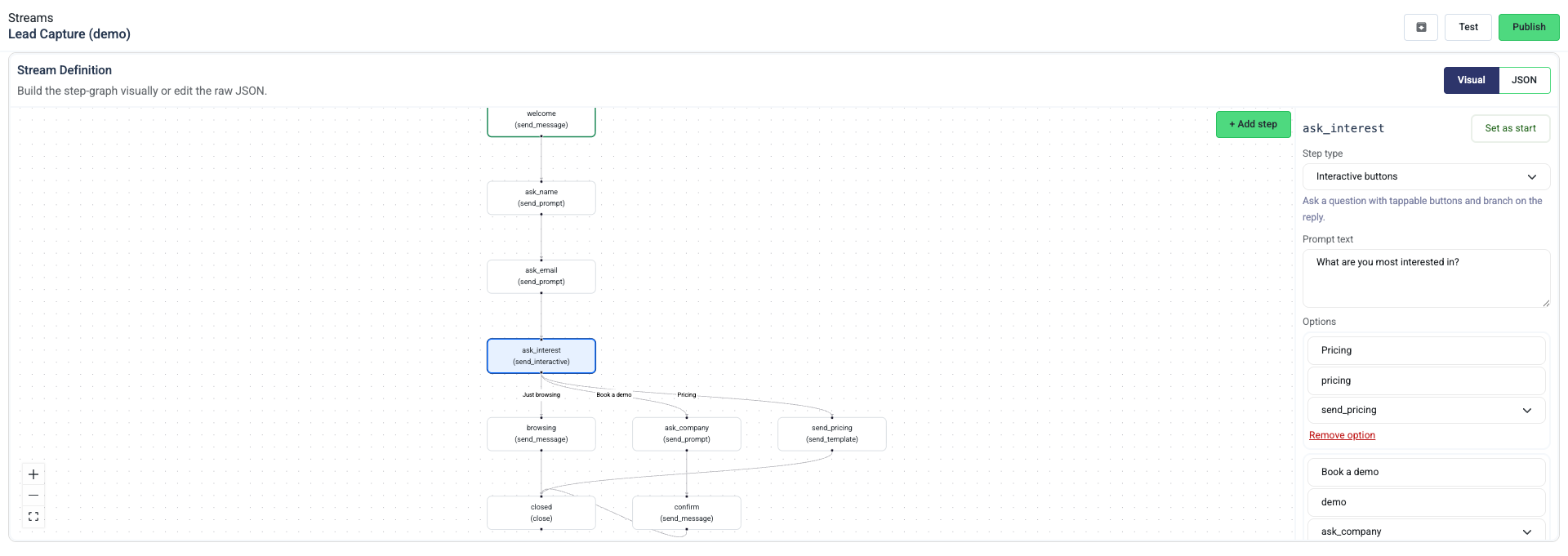
Smart Reply Handling: Configure custom reply timeouts to send nudges, handle timeouts, and automatically route conversations to specific agents or teams.
Structured Response Capture: Customer selections and text answers are saved as structured data, making it easy to view and analyze responses directly in Peach.
Full-Screen Editing: The visual builder opens in a full-screen mode to maximize your editing area.
Note: WhatsApp Streams is being rolled out to our customers incrementally over the coming weeks.
Broadcast Delivery Windows
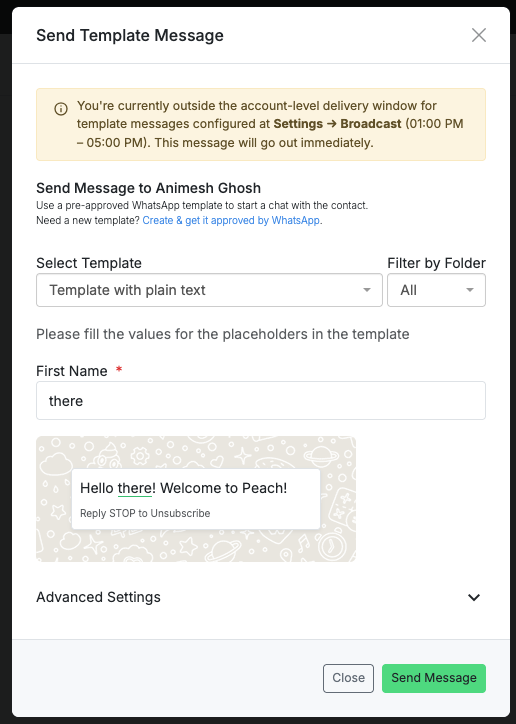
Broadcast Delivery Windows: Avoid sending campaign messages to customers at inconvenient hours by setting an account-level default delivery window (e.g. 08:00 AM to 08:00 PM). Automated campaigns will respect this window and hold pending messages for retry when the window opens. Manual template messages sent outside the window will show a warning to the agent, although they will still go out immediately.

Bug Fixes & Small Improvements
- WhatsApp Template Markdown Editor: Replaced the rich-text editor with a compact editor that lets you write and edit WhatsApp formatting tokens (*bold*, _italics_, ~strikethrough~) directly. Previews now match actual WhatsApp rendering for inline styles, lists, code blocks, and blockquotes.
- Inline Map Previews: Location messages in the chat inbox and quoted replies now display an inline map thumbnail with a pin.
- Peach n8n Node Updates: Added support for the connect_to_ai_agent action and fixed template node formatting in the Peach n8n node package.
- Template Buttons Fix: Resolved template message delivery issues when sending templates that contain no interactive buttons.
- Performance Enhancements: Preloaded polymorphic assignments in the conversations query to avoid database performance warnings and query exceptions.
- Deployment Updates: Ensured graceful Sidekiq background job worker shutdowns when stopping server containers.